Simple eBook Converter for Mac Users
EPUB Converter Mac is a lightweight utility that transforms digital books into different readable formats. The tool focuses on essential tasks, giving readers and professionals an easy way to prepare files for various devices without relying on online services. Its offline approach supports privacy while keeping everyday workflows convenient and accessible.
Users who manage personal libraries or organize documents for reading on different devices can benefit from its straightforward features. The program centers on converting EPUB files into formats such as PDF, MOBI, and TXT, supporting common needs found in many reading setups. Its simplicity makes it a practical companion for those who prefer quick results on Mac systems.
What can EPUB Converter Mac do?
The software offers dependable eBook conversion that helps users adapt files to different platforms. Batch processing lets people convert several documents at once, which improves efficiency when handling large libraries. This strength gives the program a clear advantage for users who want fast results without a complex interface. However, output formatting can vary depending on the structure of the original document, which creates inconsistencies for more detailed layouts.
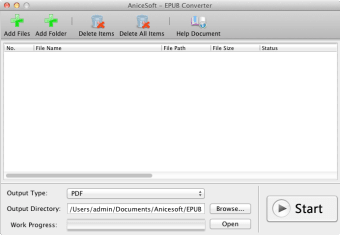
The interface keeps every action simple through clean menus during file selection. This setup helps beginners complete conversions with minimal learning needed. Users looking for advanced configuration tools or layout adjustments can find the limited customization restrictive. Since the tool lacks a built-in viewer, external reading apps are necessary for checking results, adding an extra task to the process.
The software focuses entirely on conversion, avoiding features like editing, cloud syncing, or automation. Files protected by digital rights management cannot be processed, which limits the types of books the converter can handle. Despite this narrow scope, its offline operation and reliable performance make the tool useful for readers who want a focused and private way to manage their files.
Is EPUB Converter Mac worth using?
EPUB Converter Mac offers consistent and uncomplicated file conversions that support common reading needs. Its fast batch processing and direct interface help users who only require essential features. Anyone seeking editing tools, advanced formatting control, or broader compatibility can explore more robust eBook solutions, while those wanting a simple and private EPUB conversion tool find this option effective for daily use.










.png)